
Invoice Overview
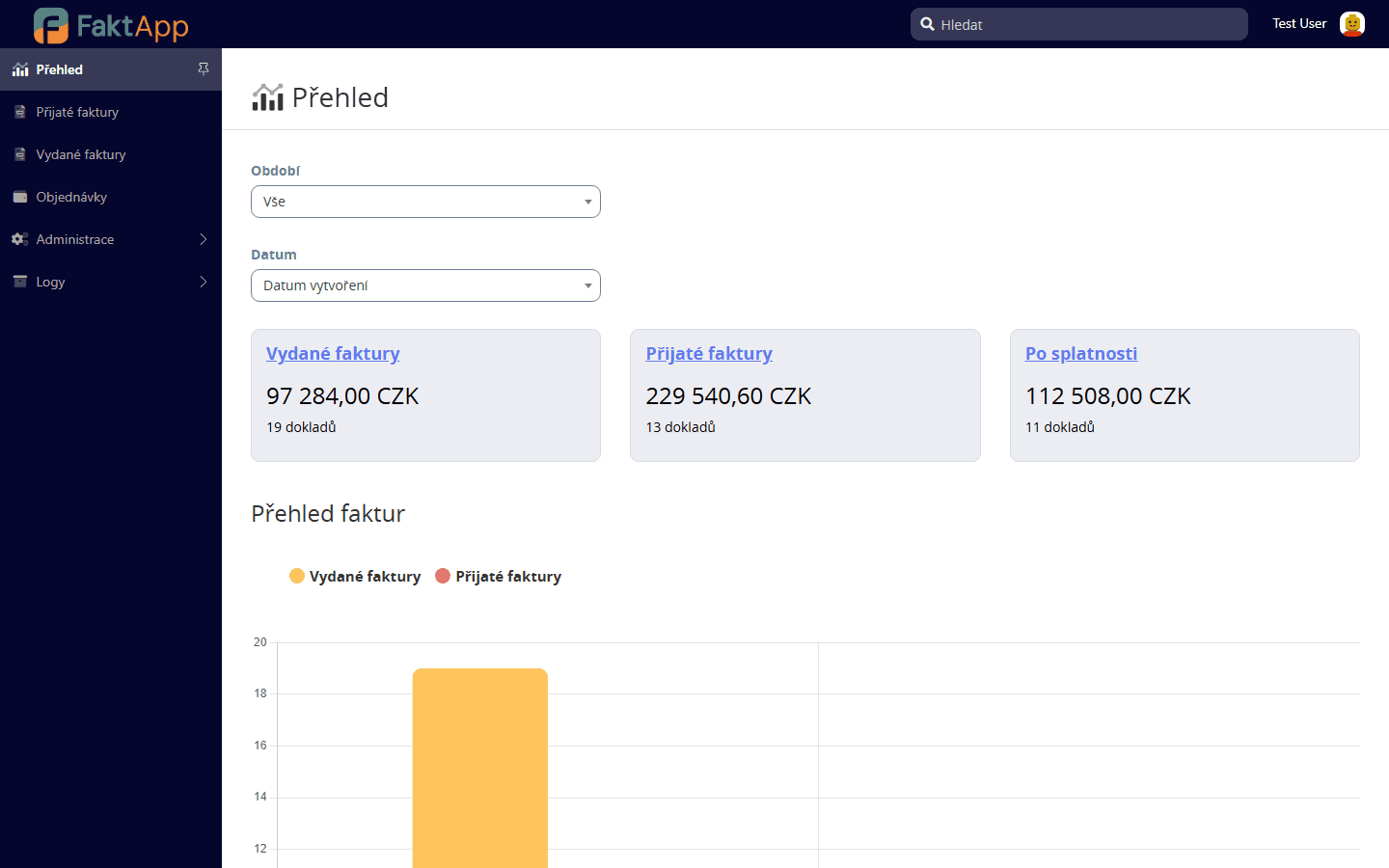
The main application screen displays summary information about incoming, outgoing, and overdue invoices. It includes interactive charts of income and expenses for the selected period.
Viewing the overview
After logging in, the main 'Overview' screen is displayed. At the top, you see three notification boxes: Outgoing Invoices, Incoming Invoices, and Overdue Invoices. Each box shows the total number of documents and their summary amount. Clicking any box takes you to a filtered list of the respective invoices.
Filtering by period
At the top of the page, select a period: All, Month, Quarter, or Year. When selecting Month, a dropdown appears to choose a specific month and year. When selecting Quarter, you choose the quarter and year. The chart automatically recalculates based on the selected period.
Reading the charts
Below the notification boxes, a bar chart is displayed. Yellow bars represent outgoing invoices, red bars represent incoming invoices. The X-axis shows time units based on the selected filter — years, months, or days. Hovering over a bar shows the exact amount.